Skip to content
Wallboards & screens

What’s on, on every screen in the building

Turn any TV into a live display of today’s schedule. Put Now & Next on the stage door, every space at a glance in the production office, and full-screen show artwork in the foyer - each one updating itself as plans change, with no one printing a running order again.

Included in
Free Starter Professional Business Enterprise
or add on to any plan from £24/mo
app.sonicems.com
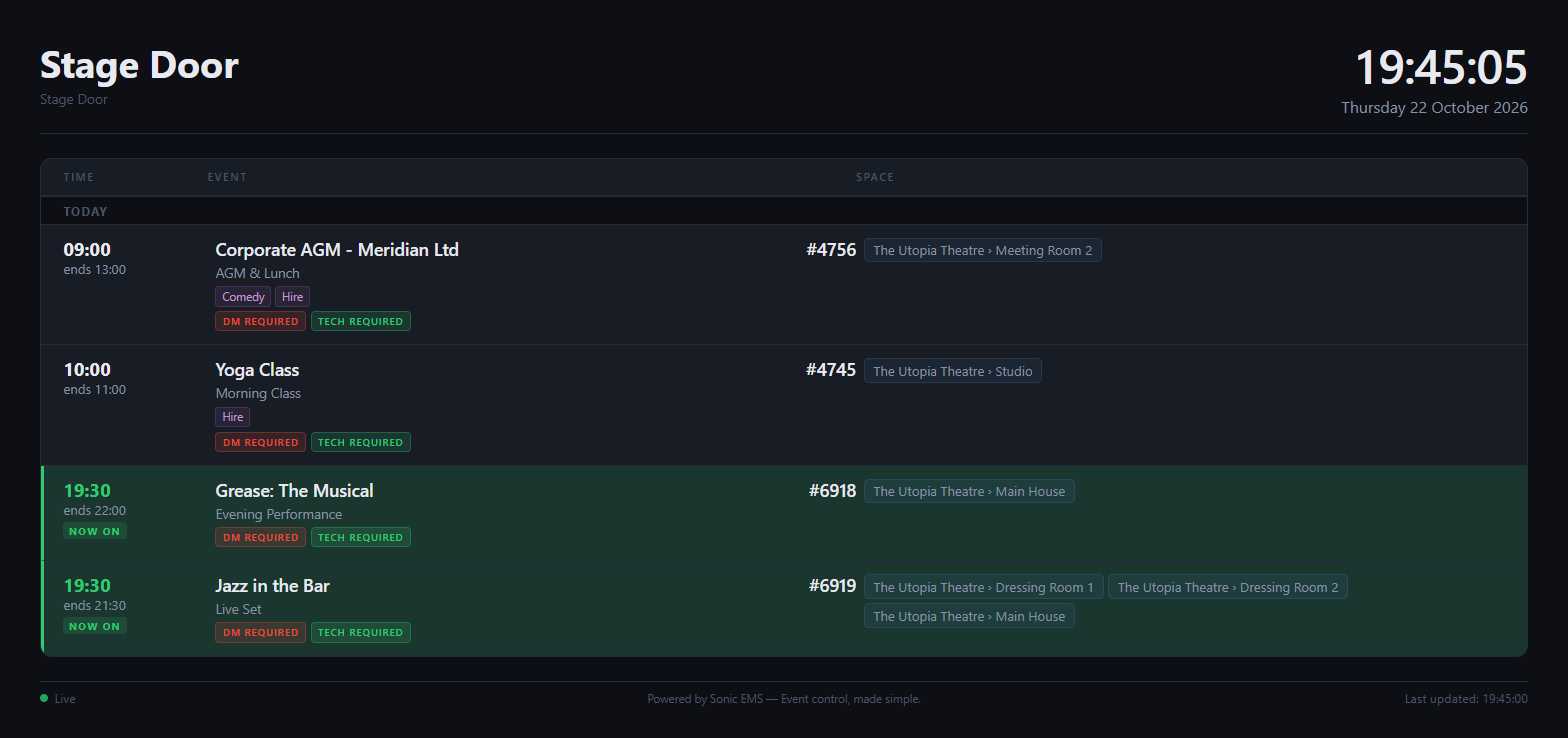
A wallboard schedule showing today’s events, with shows now on highlighted
The difference

From scattered and stressful to joined-up and calm

Without a system like this

  • Running orders printed and pinned up, then out of date by lunchtime
  • Crew asking which room they are in
  • Foyer screens showing last month’s posters

With Sonic EMS

  • Screens that update themselves from the live schedule
  • A view for each space, or every space at once
  • Show artwork that rotates through what is coming up
What you get

Built to do the job properly

Now & Next

What is on in a space now and what follows, for the door of every room.

Schedule & All Spaces

The whole day in a list, or a card per space showing free, starting soon or in use.

Marketing view

Full-screen event artwork with your logo, the clock and upcoming dates.

No login needed

Each screen has its own private link you can revoke at any time.

Wallboards

A screen for every part of the building

Choose a view style per screen and decide what it shows - staff names, spaces, tags, ticket sales, duty manager and tech requirements. Filter by venue or space, and if you use SignInApp, a Who’s In view shows who is on site right now.

  • Now & Next, Schedule, All Spaces, Marketing and Who’s In
  • Choose exactly which details each screen shows
  • Filter by venue and space
Wallboards

On brand, on every screen

Set your theme colours and logo once and every screen follows, with space colours carried through from your calendar. Hide private events with a tag, and in the foyer let show artwork fade from one event to the next with each of its upcoming dates.

  • Your colours and logo, light or dark
  • Hide events from screens with a tag
  • Artwork order, timing and look-ahead you control
Works well with

Explore related features

Put the schedule on the wall

Add Wallboards and keep the whole building briefed, automatically.

Free plan available No credit card needed Set up in minutes